Guides
CSV to JSON: Convert CSV to JSON Online Without Uploading Your Data
Convert CSV to JSON online with a simple, private workflow that turns spreadsheet-style rows into clean JSON data directly in your browser.
Try Now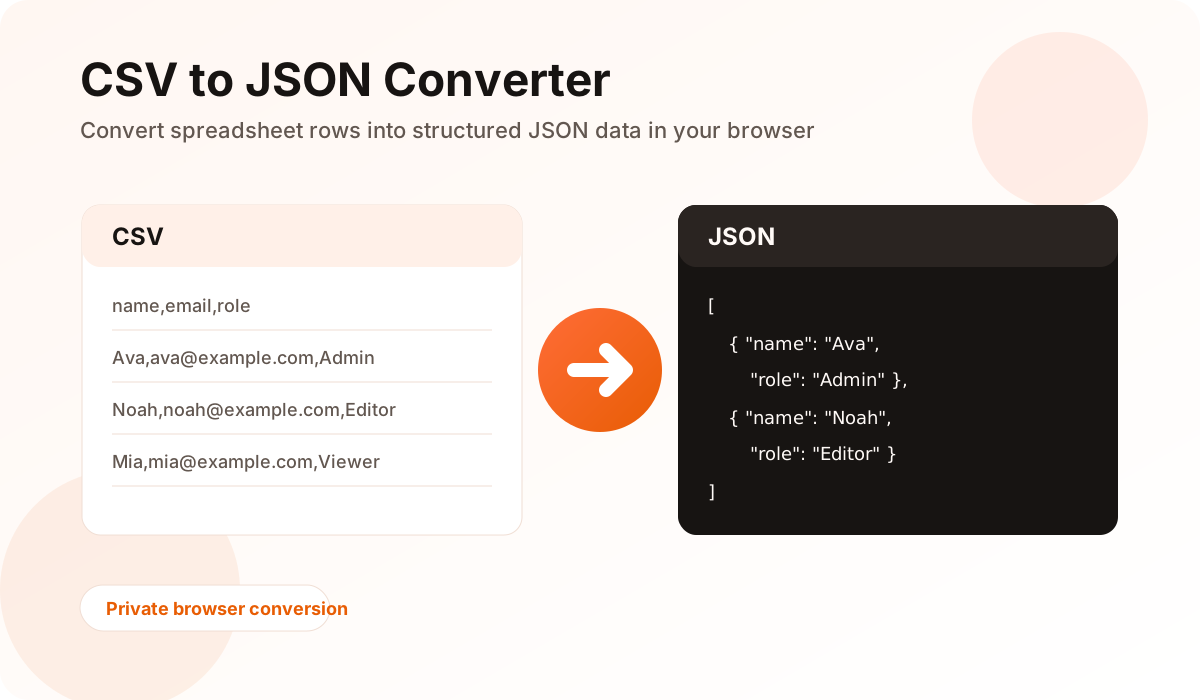
What CSV to JSON conversion does
CSV to JSON conversion changes row-and-column data into structured JSON objects. CSV usually stores data with the first row acting as the header, while JSON stores data as objects and arrays for APIs, dashboards, scripts, and web apps.
When you convert CSV to JSON, each CSV row becomes a JSON object. The column headers become object keys, and the row values become the matching values.
Before you convert the file
Clean headers make the result easier to use. Rename vague column names, remove duplicate headers, and check that every row follows the same structure.
If your CSV uses semicolons or tabs instead of commas, use a converter that can detect or choose the delimiter before generating JSON.
- Use one header row at the top of the file
- Remove empty columns that are not needed
- Check quoted values that contain commas
- Confirm dates and numbers are formatted consistently
How to convert CSV to JSON in ConverterBox
To convert CSV to JSON in ConverterBox, open the CSV and JSON Converter, paste your CSV data or select a local file, then review the generated JSON preview. The conversion runs inside your browser, so the file does not need to be uploaded to a server.
After checking the preview, download the JSON file or copy the formatted output for use in your project.
Why browser-based conversion is useful
Local conversion is helpful for quick formatting work, test data, internal reports, and files that should stay on your device. It also removes the waiting time that comes with uploading and processing small files on a remote server.
For very large files, your browser memory still matters. If a file is extremely large, split it into smaller exports before converting.
Frequently asked questions
Does CSV to JSON conversion upload my file?
ConverterBox processes CSV and JSON data locally in the browser. Your selected file is not uploaded to a server for conversion.
Can JSON be converted back to CSV?
Yes. Use the JSON to CSV mode in the ConverterBox CSV and JSON Converter to turn JSON arrays back into spreadsheet-friendly rows.
What delimiter should I use for CSV files?
Comma is the standard delimiter, but many exports use semicolon or tab separators. The ConverterBox tool supports common delimiters for cleaner parsing.